
Apartments · residential
Apartment elevator — ads, notices and local info on one portrait screen
One portrait screen beside the elevator doors. After three ads play through it moves on to notices and local info, while a management office notice scrolls along the bottom. Temperature and fine dust are linked to values, so the color and grade change with the reading.
This is a fictional apartment, not a real complex or customer installation. The complex name, phone number and ads on the screen are example text in the sample and do not refer to any real complex or shop.
Inside the car
A portrait screen at eye level beside the doors
The screen runs a live LinkVion screen, not a recording. After three ads it moves to notices and local info, and the notice bar keeps scrolling. Use the buttons to change the notice text or the fine dust value, or skip to the next slide.
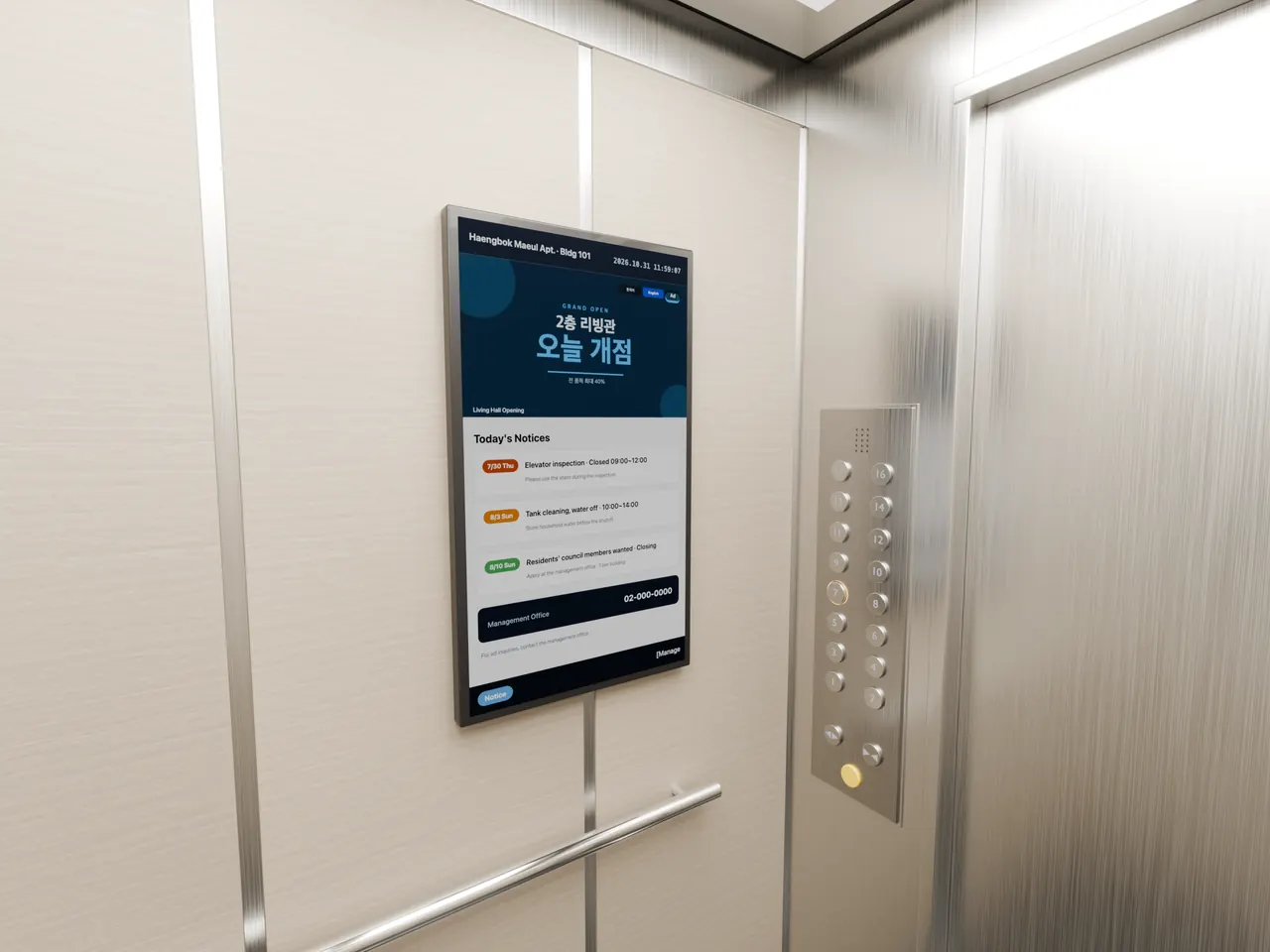
On the screen
Three slides
- Portrait screen
- Media playlist
- Next slide when the video ends
- Scrolling notice bar
- Value binding, threshold colors
- Korean and English screens
Limits
What this case does not show
- Not a real elevator or display. The car is computer-rendered; only the screen is live.
- No link to the elevator controller; floor and direction are not shown on the screen.
- Temperature and fine dust are screen values. On site, bind the same places to tags fed by sensors or a weather source.