
Industrial gateway · web SCADA · vision
From equipment to screen,
in one browser.
LinkVion puts a gateway that talks to PLCs and meters, a middleware that keeps the values, and a SCADA you draw and run in the browser into one program. It runs on a small industrial box or on a Windows or Mac PC.
At a glance
Five steps, one program
Gateway, middleware and SCADA are layers of one program, not separate products. Switch modes in the app header to work on the same project.
- connectConnect
Attach to PLCs, meters, drives and cameras; values become tags.
- viewView
Draw screens in the browser and run them from PC, phone or tablet.
- alertAlert
Threshold and SPC rules raise alarms with a history, by email or Telegram.
- recordRecord
History DB, collection rules, reports, HACCP CCP records and OEE.
- inspectInspect
Judge camera images with a recipe; OK/NG become tags (optional).
Connect
Many vendor protocols, one tag model
Give device addresses a name, unit and decimals to make tags, then republish them over an OPC UA server, Modbus slave, MQTT or REST. Each adapter runs on its own lane, so one silent device never holds up the others.
Protocols not on the list can be added as declarative adapters from a single spec file (meta.json).
See all protocols- Modbus TCP/RTU/ASCII
- Mitsubishi MC · SLMP
- Siemens S7
- LS XGT
- Omron FINS
- Keyence KV
- Panasonic MEWTOCOL
- EtherNet/IP
- OPC UA
- MQTT 3.1.1 · 5
- DNP3
- IEC 60870-5-104
- SNMP
- CoAP
- SCPI
- PJLink
- Art-Net 4 · sACN
- OSC
- RTSP
- REST
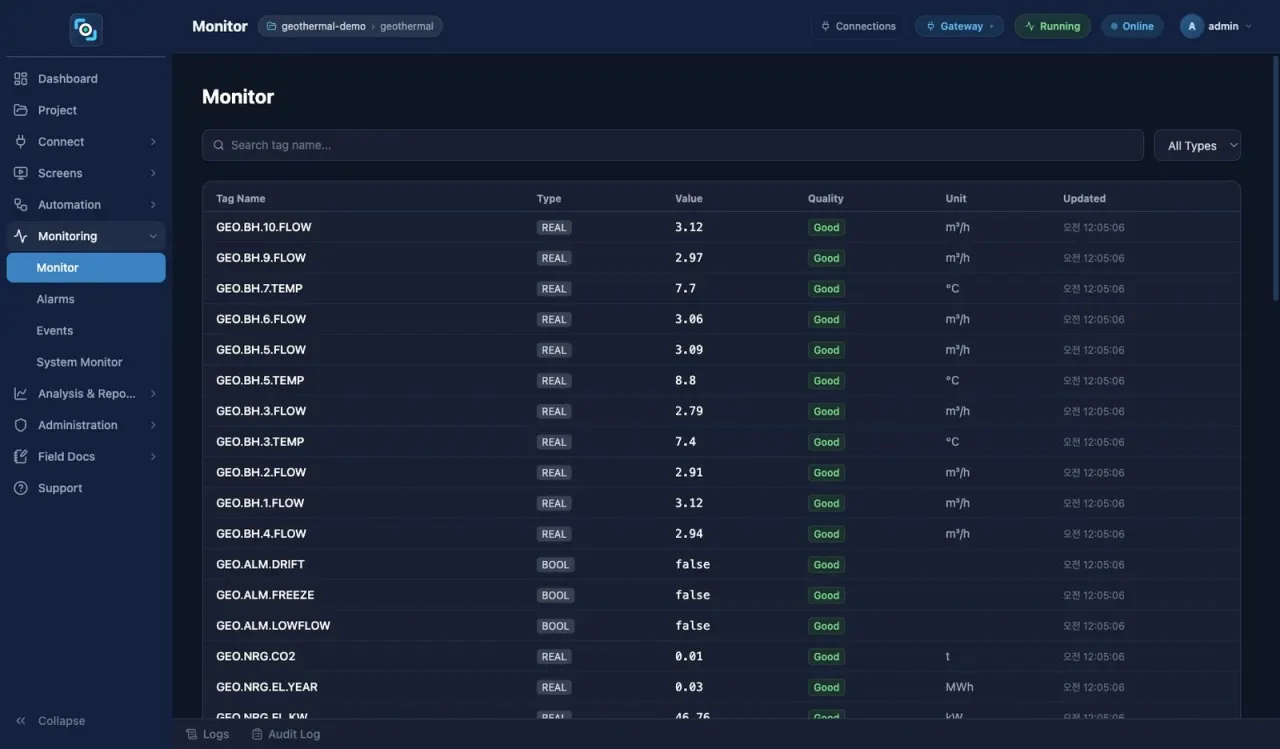
View · operate
Draw in the browser, run in the browser
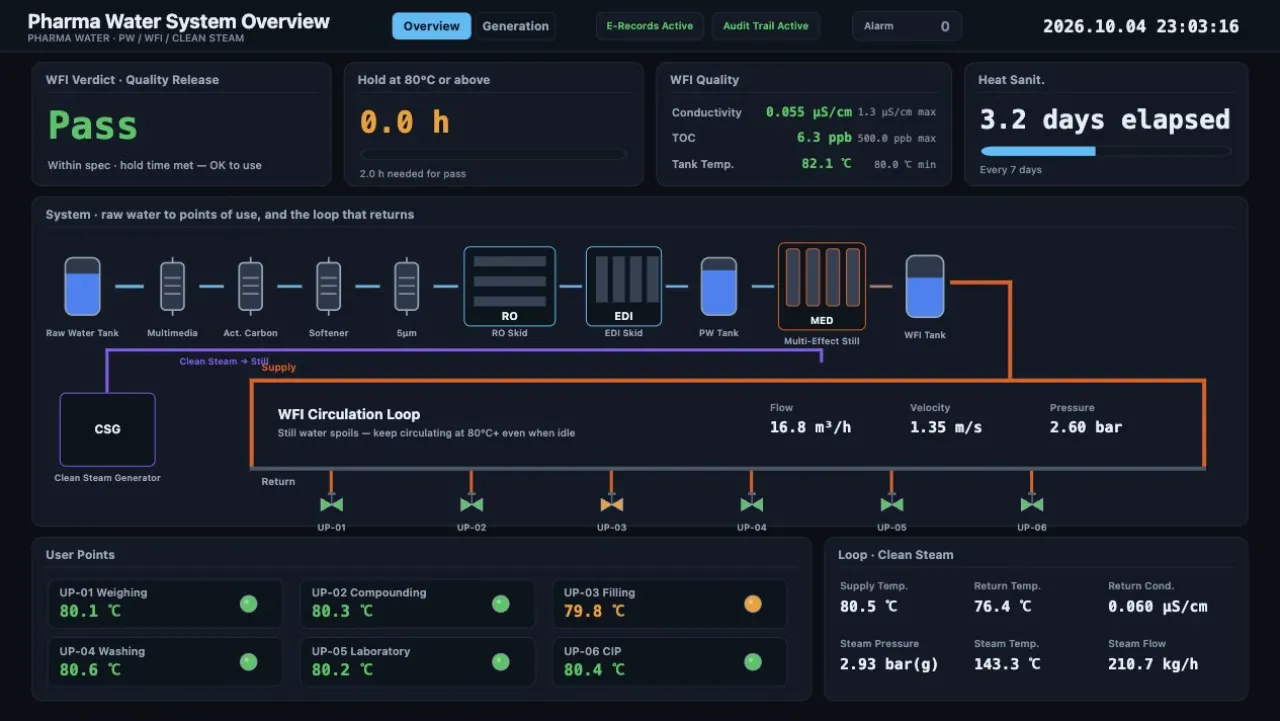
Place shapes, symbols, charts, tables and cameras, bind them to tags and the screen runs. Color, rotation, level and flow follow the values, and every write goes through a confirmation dialog and permissions.
- 71 symbols · 57 built-in screens · tags bound to 3D model (glTF) parts
- Multi-monitor windows · phone layouts · Korean/English screen translation
- Digital signage on the same engine — display registry, group schedules, emergency screens
Alert · record
Alarm, keep, report
- Threshold alarms — severity, on-delay, deadband; raise, acknowledge and clear history
- Notification channels — pick email or Telegram per rule; scripts can send Telegram messages too
- SPC pattern alarms — control-chart rules (R1 to R3 by default) catch trends and shifts and clear themselves; baseline learning, subgroup averages, a small control chart and a false-alarm interval hint
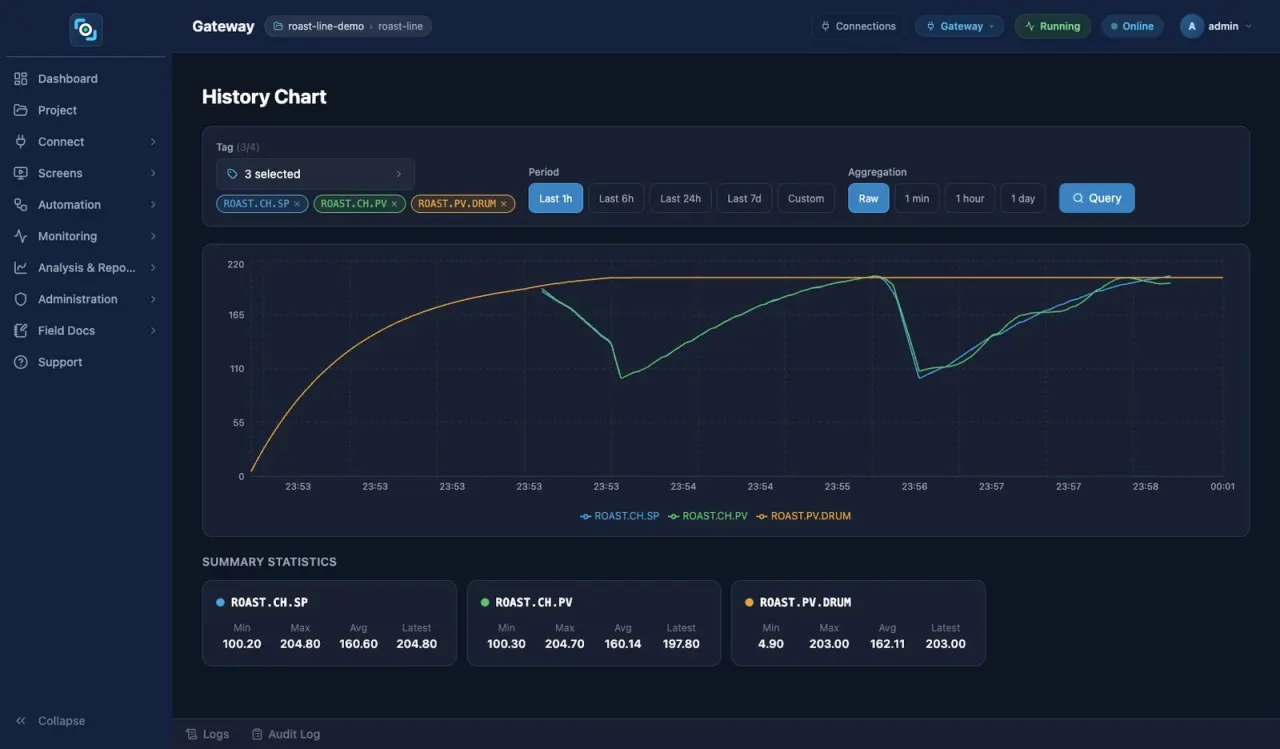
- History DB · collection rules — every tag recorded; by period, change or threshold into SQLite, MariaDB, InfluxDB
- Reports · HACCP · OEE — daily reports, CSV and Excel; HACCP CCP records with signed corrective actions; availability, performance, quality
Telegram notices, the improved email notices and SPC pattern alarms arrive in the release after 0.1.0.24.
Inspect · optional
Camera images judged, results as tags
An inspection job is a camera, a recipe and a trigger. OK/NG and measured values become tags that feed PLCs, alarms, history, reports and SCADA screens. Tune recipe thresholds and ranges while watching the image, then publish a new version.
Vision is an optional licensed feature (LinkVion Box add-on package or Windows optional component; not in the Mac package).
More on vision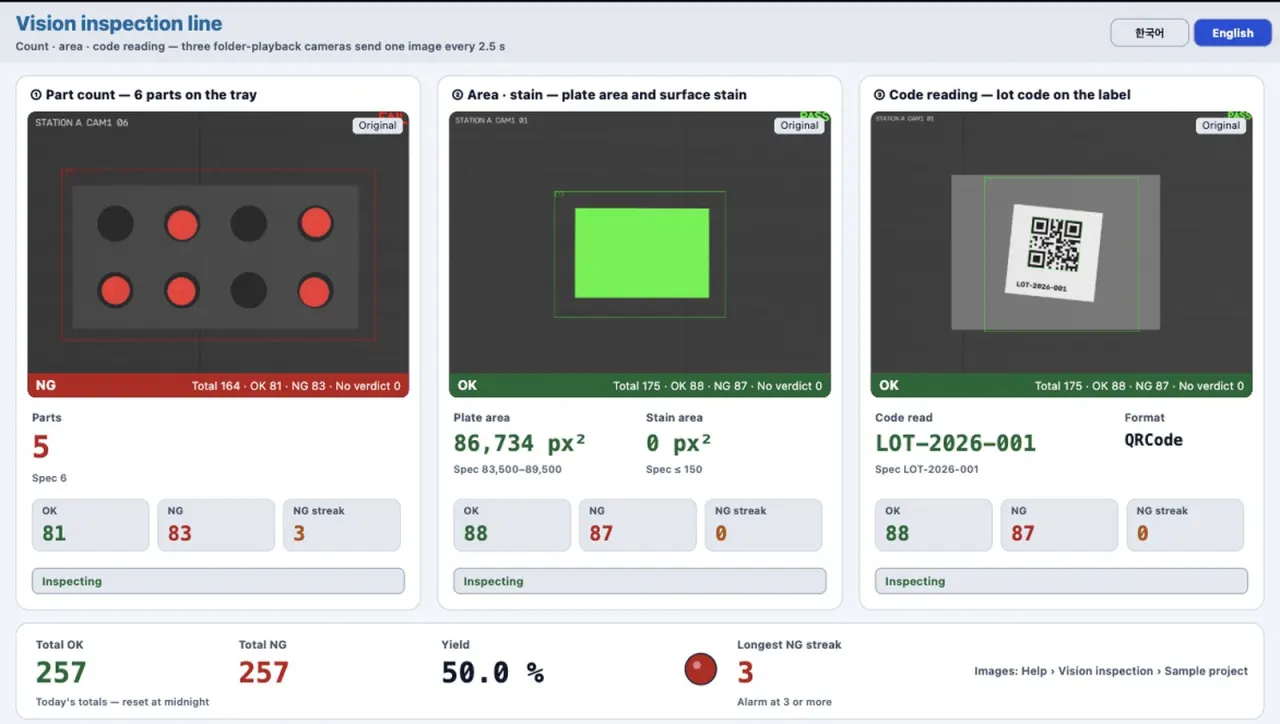
LinkVion Box
A small box that runs on its own next to the machines
The same LinkVion you install on a PC runs inside a Raspberry Pi CM4 industrial box. It starts as a service at power-on, and you open its screens from any browser on the network.
Our own measurement on 2026-08-21, from power-on; not re-measured on later releases.
See box specs- Module
- Raspberry Pi CM4 · 4 cores 1.5 GHz · eMMC
- Network
- 2 × gigabit Ethernet
- OS
- 64-bit Linux (Debian 13) · real-time kernel
- Serial
- RS-485 via USB adapter
- Throughput
- Mitsubishi MC, 10,000 words per cycle in 16 ms
Loopback, measured 2026-07-15. Real PLCs add network round trips. - Updates
- Signed update files checked on upload
Samples · cases
Start by opening a sample
Twenty-three sample projects ship inside the product. Opening one brings in connections, tags, scripts, alarms and screens together. Every screen below is a sample, not a customer project.
Pharmaceutical water (PW/WFI)
67 tags · 6 alarms · process diagram
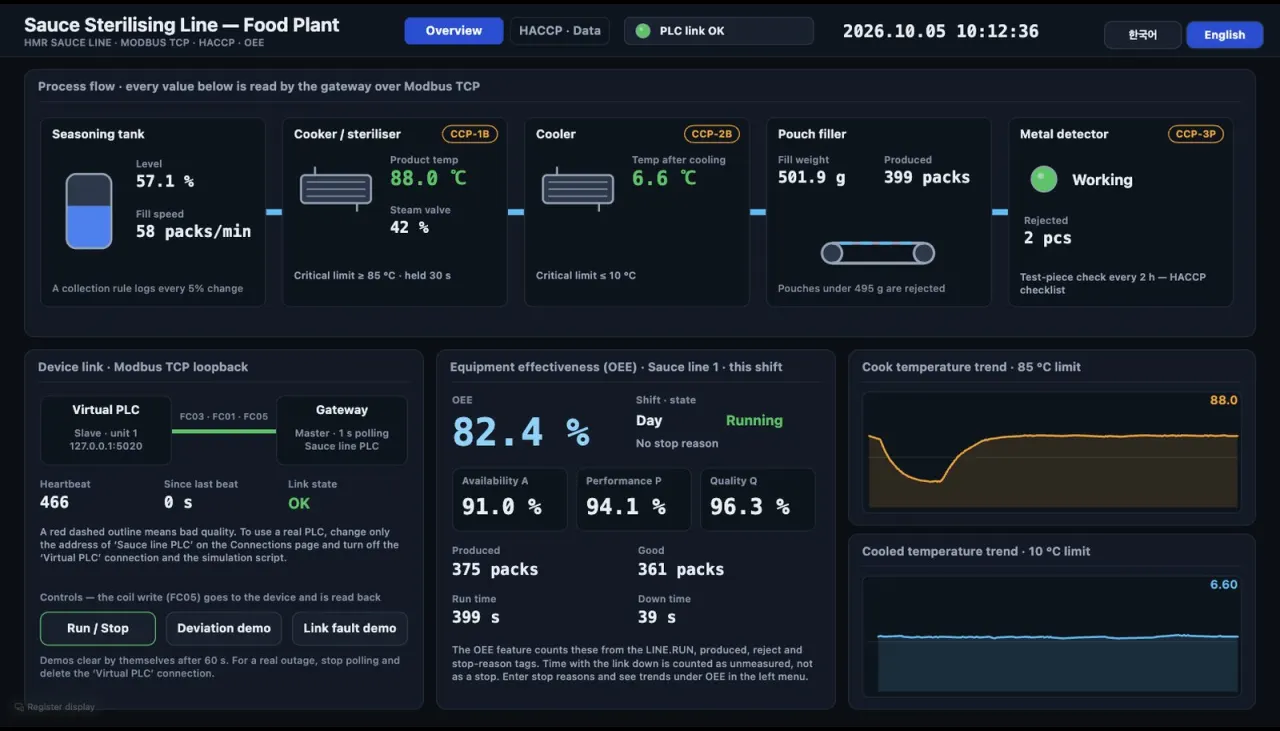
Food plant — devices, HACCP, OEE
2 Modbus TCP links · 3 HACCP CCPs · 1 OEE machine
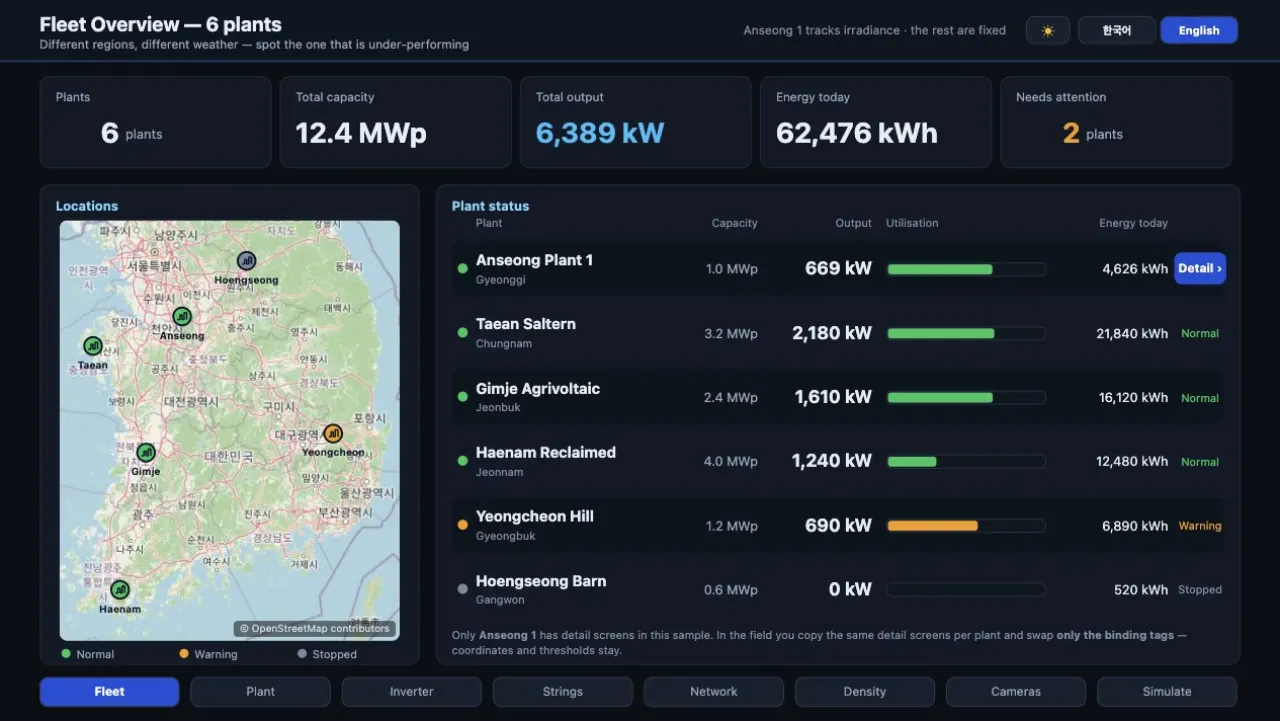
Solar plant monitoring
8 control-room pages · 3 phone pages · DB link
Vision inspection line
Four stations — count, area, code, precision
Process, energy, control rooms, signage, vision
Water treatment, geothermal, smart farm, food plant, exhibition hall, landscape lighting, plates, conveyor, barcode cart, CCTV viewer and more.
All samplesCafe Neulbyeot — a day run on three displays
A recorded day of menu, pickup and window screens at a fictional cafe, built from one bundled sample. Not a real shop.
View the caseWhere it runs
On a box or a PC. Screens in any browser
LinkVion Box (CM4)
Runs on its own; our in-house unit runs 0.1.0.24.
Windows
Windows x64 installer; vision is an optional component.
Mac
Apple silicon, macOS 14+, notarized dmg. No vision module.
Chrome · Edge · Safari
Design, run and configure in the browser, from PC, phone or tablet.
Get started
Tell us about your site first
Contact
Send the kinds and number of devices and the screens you want; we will reply with a fitting setup and how to see it run.
linkvion@gmail.comTrial
Installers are sent on request by email. Without a licence it runs as a trial: up to 50 tags and 5 screens, with a 2-hour run limit.
Trial details