| Signage | Display registration, status, commands | Approve the code shown on each display browser in display management and give it a name, location and group. |
|---|
| Signage | Group schedules — hours, weekdays | Five daypart rules per group, separate weekday and weekend morning rules, operating hours for menu and pickup. |
|---|
| Signage | Emergency screen — button, REST, tag condition | An emergency rule that switches the three groups to the evacuation notice when cafe.fire = 1. |
|---|
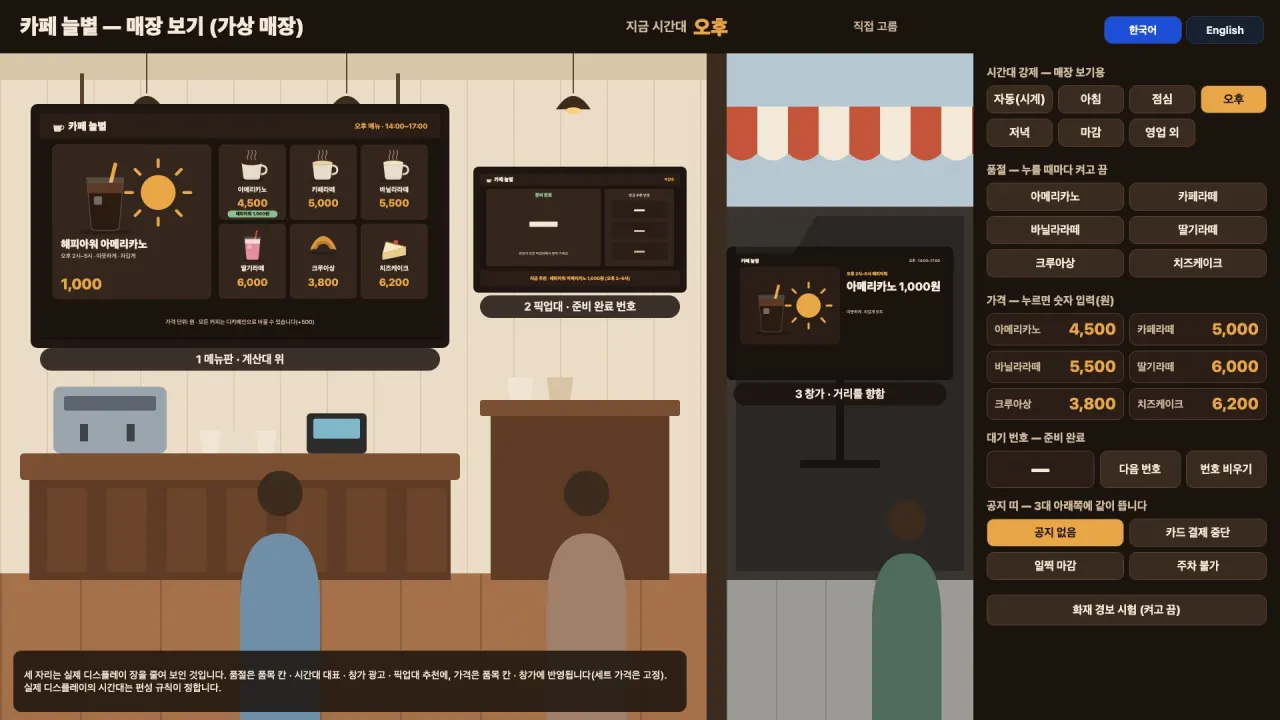
| SCADA runtime | Multi-monitor windows, phone screens, master background, menu frames | A 430×932 phone console, and the store view's three spots are frames showing the real display pages. |
|---|
| SCADA editor | Controls — button, toggle, slider, number entry, navigation, confirm before write | Sold-out toggles, the price number pad, the next-number button and the fire-test confirmation. |
|---|
| SCADA editor | Bindings — value, color, visibility, rotation, level, flow, color by threshold | Price text uses value bindings; sold-out bands, notice bands and substitutes use visibility bindings. |
|---|
| Tags | Virtual (memory) tags — values without devices, initial values | 22 tags: six sold-out flags, six prices, four queue numbers, notice, fire, daypart and so on. |
|---|
| Scripts | JavaScript scripts — control logic inside the gateway | Every second it sets the store view daypart from the clock, and shifts the called numbers on Next. |
|---|
| SCADA editor | Korean and English — one screen in two languages | Korean/English buttons on the store view and phone console; displays follow their account language. |
|---|