
Product overview
Three products, one program
The gateway talks to equipment, the middleware stores and processes the values, and SCADA shows them to people. Values flow left to right, and you switch modes to work on the same project.
- fieldField equipment
PLCs, meters, drives, sensors, barcode, I/O, cameras
- gatewayGateway
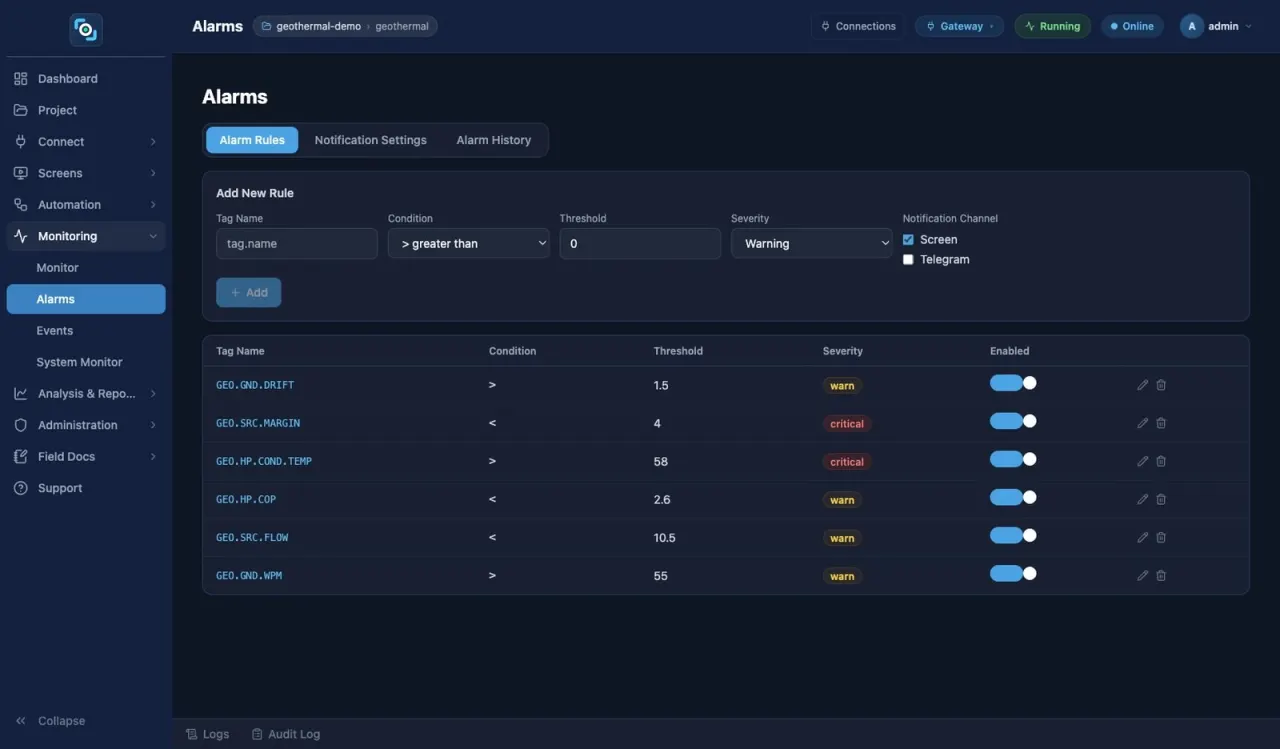
Connections, tags, conversion, alarms, vision
- middlewareMiddleware
History, collection rules, HACCP, OEE, reports
- scadaSCADA
Operator screens, signage, kiosks
- upstreamUpstream
MES, cloud, REST, OPC UA, MQTT
01 · Talks to equipment
LinkVion Gateway
Turns device values into tags, republishes them over other protocols and raises alarms.
- 40+ protocol adapters; declarative adapters from a spec file
- Tags, expression tags, memory tags, live monitor
- OPC UA server (certificates, users, per-node permissions), Modbus slave, REST
- Threshold and SPC pattern alarms, email and Telegram notices (notification settings are admin-only), HTTPS (8443 by default)
- Device power (PJLink etc.), lighting (Art-Net, sACN), OSC
02 · Keeps and processes values
LinkVion Middleware
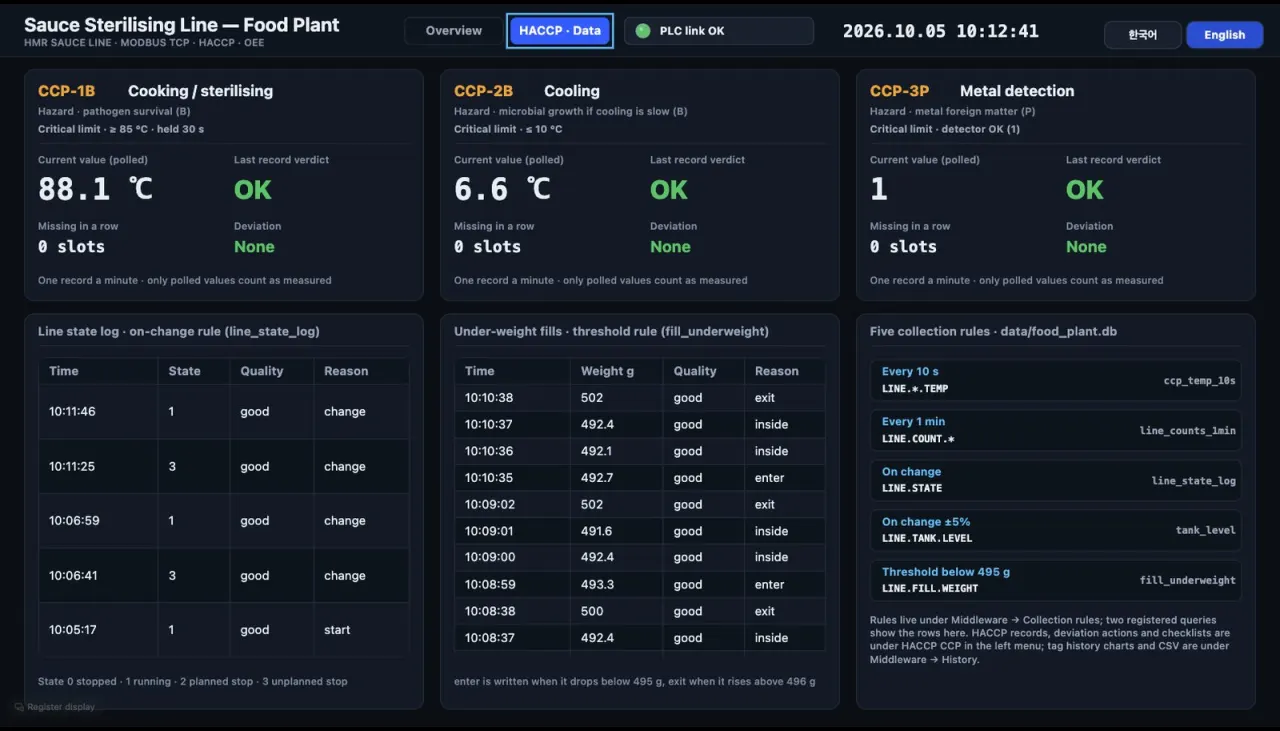
Stores what was collected, picks it by rule and turns it into reports, records and verdicts.
- History DB (deadband, retention), history charts
- Collection rules by period, change or threshold; SQLite, MariaDB, InfluxDB
- Database links with registered queries and commands, shown as tables and maps
- Reports (CSV, Excel), HACCP CCP, OEE, analytics (SPC, FFT, vibration)
- SPC pattern alarms — baseline learning, subgroup averages, a small control chart, false-alarm interval hint, history trend overlay
- JavaScript scripts, recipes, schedules; scripts can send Telegram messages
03 · What people look at
LinkVion SCADA
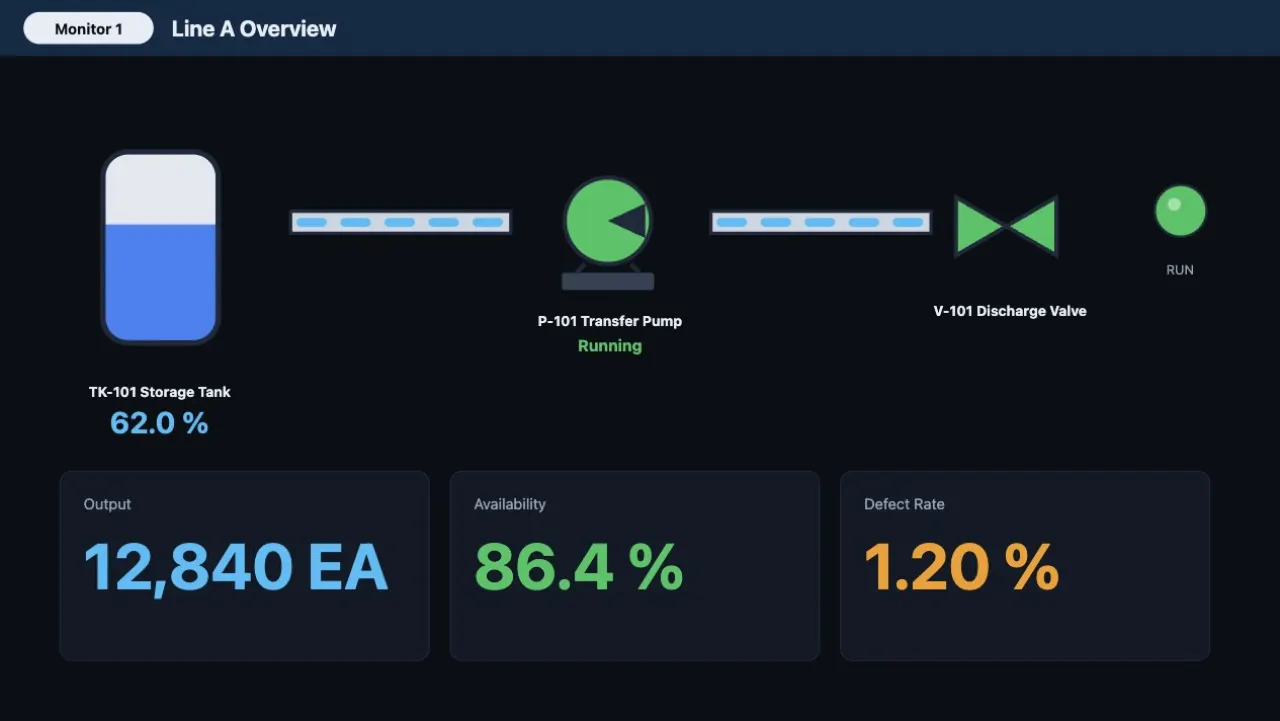
Bind tags to screens to draw and run process diagrams, control rooms, signage and kiosks.
- Web editor — design and run in one place
- 71 symbols, 57 built-in screens, 3D models
- Multi-monitor, phone layouts, Korean/English
- Digital signage — registry, schedules, emergency screens, proof of play
- Login, roles, audit log; writes through confirmation
Operation modes
Switch modes in the app header
Gateway mode
Protocol bridge, live tag monitor, alarms and notices, vision (optional).
Middleware mode
Collection rules, history, export, HACCP CCP records and OEE.
Runtime mode
Run the screens you designed; configuration menus can be hidden.
Other modes
Motion (G-code), sequencer and protocol tester appear only when the licence enables them.
Screens are bundled samples and built-in screens opened on a test gateway. No customer projects, customers or certifications are shown; the product has no separate certification at present. Improved email notices, Telegram notices and SPC pattern alarms arrive in the release after 0.1.0.24.