
Library · public
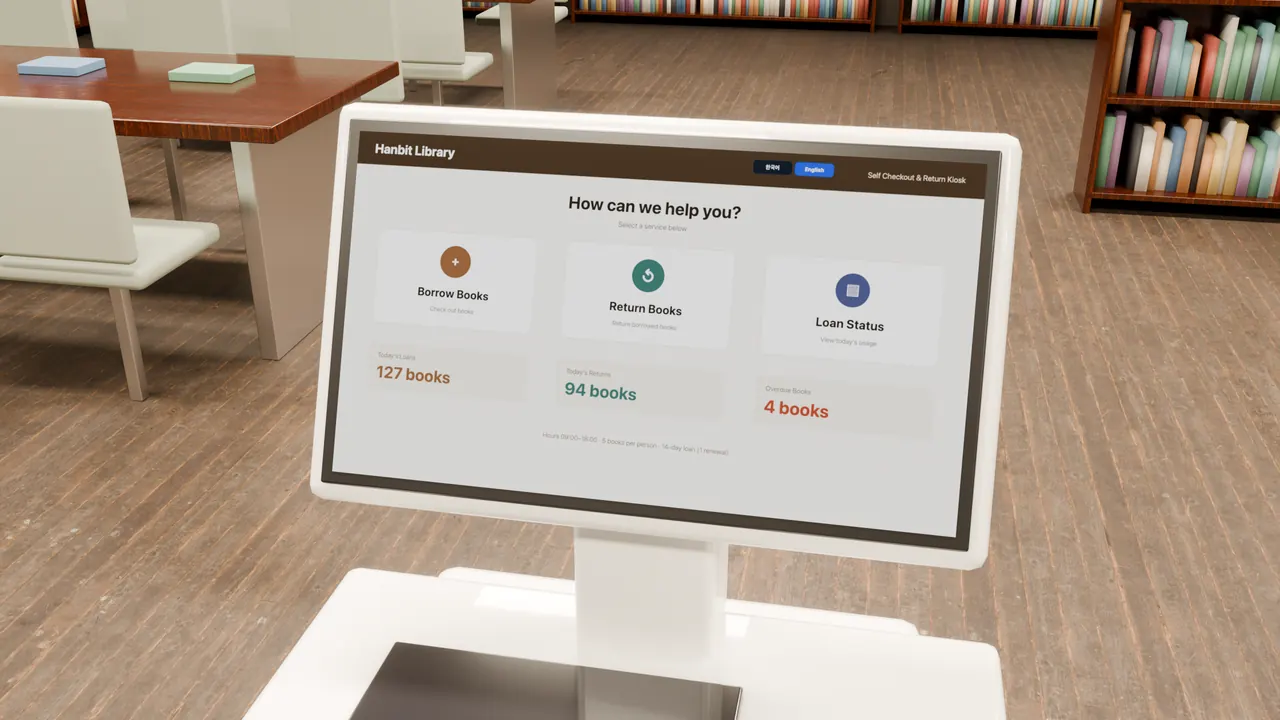
Library self-service kiosk — borrowing, returns and status on one screen
A self-service loan and return kiosk at the reading room entrance. Choosing a book swaps the whole detail pane, and Borrow raises your loan count and today's loans together. Returning an overdue book clears the overdue count, days and fine in one go.
Example setup
This is a fictional library, not a real library or customer installation. The library name, book titles, authors and figures on the screen are example text in the sample and do not refer to any real library or book.
1kiosk (1920×1080 landscape screen)
4pages — home, borrow, return, status board
8books in the list (detail changes as you pick)
Nonedevice links (screen values only)
Reading room entrance
A stand-up self-service loan and return kiosk
The kiosk runs a live LinkVion screen, not a recording. Use the buttons below to borrow a book or return an overdue one. A confirmation appears on the screen for a moment, then the numbers change.
On the screen
Four pages
- Kiosk screen
- Pick a row, detail follows
- Confirm, then write several values
- Status board bars and numbers
- Page navigation
- Korean and English screens
Limits
What this case does not show
- Not a real library or kiosk. The reading room is computer-rendered; only the screen is live.
- No link to a library management system, book reader or card reader.
- On this screen you can try borrowing up to twice.