
Office · meeting rooms
Three meeting rooms — door panels and a lobby screen moving on the same values
A small landscape panel beside each meeting room door and a status screen in the lobby. Booking at a door panel changes that panel's status and schedule and the lobby's overview and booking count together. Available is green, in use red, starting soon orange.
Example setup
This is a fictional office, not a real company or customer installation. Room names, meeting titles and departments are example text in the sample.
4monitors (3 door panels, 1 lobby; 1920×1080 landscape)
6pages — lobby, three doors, book now, review bookings
3rooms — main, A, B
Nonedevice links or scripts (screen values only)
Meeting room corridor
Door panels and the lobby screen change together
The four screens run live LinkVion screens, not recordings. The buttons below write the same values a door panel writes when you book or cancel. Switch to the Corridor view to see that room's panel and the lobby change together.
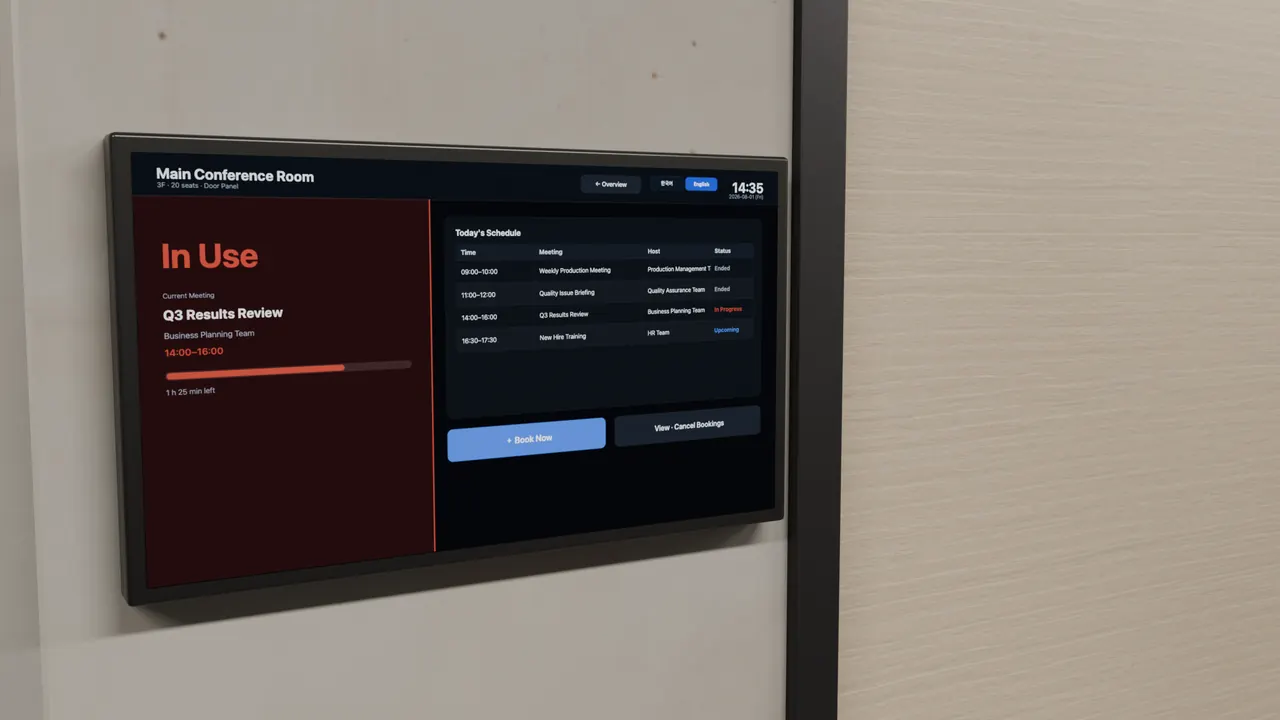
On the screen
Six pages on four monitors
- 6 pages on 4 monitors
- Status colors (thresholds)
- Write several values at once
- Value bus across windows
- Touch panel
- Korean and English screens
Limits
What this case does not show
- Not a real office or display. The corridor is computer-rendered; only the screens are live.
- No link to a company calendar. The existing schedule is screen text, and only one new booking slot is shown.
- Room B's starting soon and the main room's in use are screen text, not values, so the buttons do not change them.