
Optical shop · reception
Optical shop reception kiosk — check-in to waiting board from one screen document
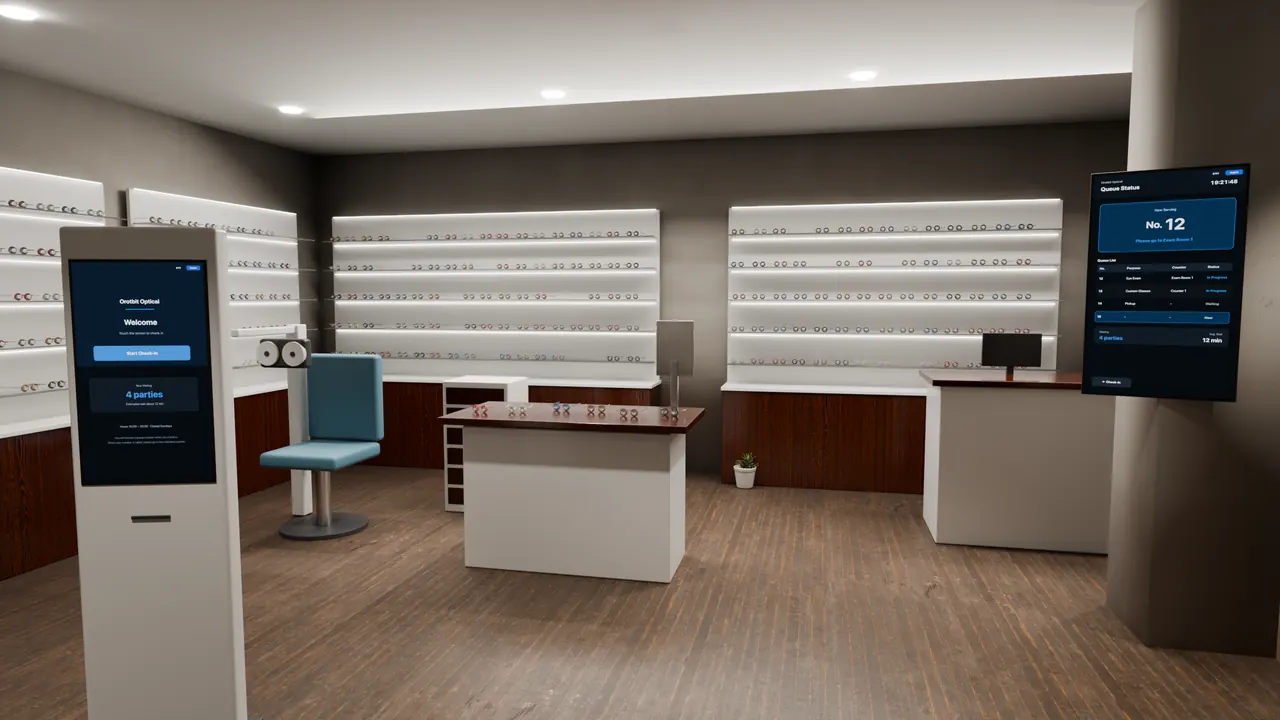
At a portrait kiosk by the entrance, a visitor picks the purpose of the visit and enters the last four digits of a phone number to get a queue number. The waiting board on the wall shows the new check-in's purpose right away. Both screens are pages of the same screen document, and the check-in values carry over to the board.
This is a fictional optical shop, not a real shop or customer installation. The shop name, queue numbers and waiting list on the screens are made-up sample content. The shop is computer-rendered; only the screens are live.
Inside the shop
Check in at the kiosk and the waiting board updates
Both screens run live LinkVion screens, not recordings. Each press of the 'Try a check-in' button moves the kiosk one step — start, choose a purpose, enter the number, check in. After check-in, the purpose you chose appears on the bottom row of the waiting board on the right.
On the screen
How one screen document does it
- Portrait touch screen
- Page flow (5 pages)
- On-screen keypad
- Screen values shared across monitors
- Start page per monitor
- Korean and English screens
Limits
What this case does not show
- Not a real shop or display. The shop is computer-rendered; only the screens are live.
- The queue number (15), parties ahead (4) and now-serving number (12) are fixed sample values and do not count up. What changes on the board is the purpose on the just-checked-in row.
- No ticket printing, text alerts or customer lookup (a screen-only sample).