
Automotive · assembly inspection
Vehicle connector wiring check — verdicts shown on a 3D car body
One monitor at the end-of-line inspection station. Nine connector spots inside a translucent car body turn blue while testing, green on pass and red on fail, and picking an item marks its spot in 3D. The verdict, output lamps and today's first-pass yield move with them.
This is a fictional inspection station, not a real plant or customer installation. The car body is a simple generic model, not any real car. Item names, numbers, VIN and results on the screen are example text in the sample.
End-of-line inspection
The inspection monitor beside the car
The monitor runs a live LinkVion screen, not a recording, and the 3D car body in the middle is drawn live on the screen. Use the buttons to inspect a new car, reproduce a failure, or step through the items to see each spot in 3D.
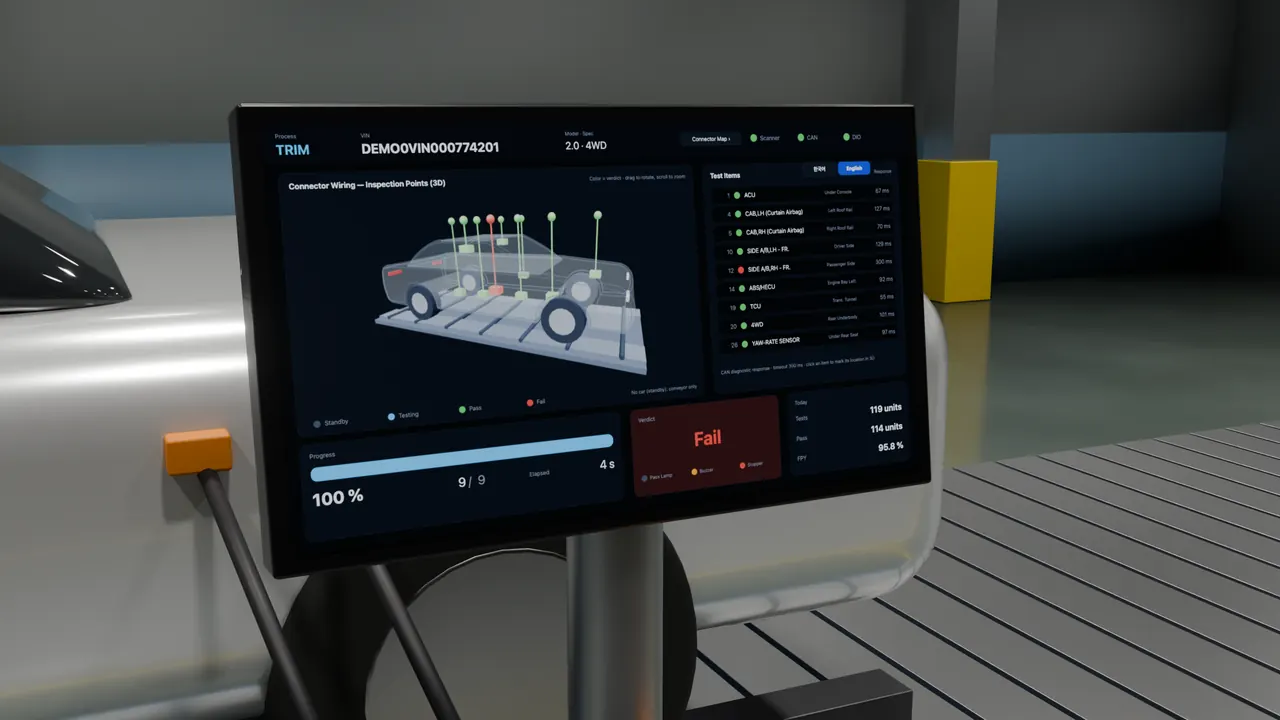
On the screen
Two pages
- 3D model element
- Part color = verdict
- Pick an item, see it in 3D
- Verdict and output lamps
- Today's first-pass yield
- Korean and English screens
Limits
What this case does not show
- Not a real plant or tester. The station is computer-rendered; only the screen is live.
- No barcode scanner, CAN tester or output device is connected. This page feeds the test values in sequence.
- The 3D view may not draw in browsers with graphics acceleration turned off.